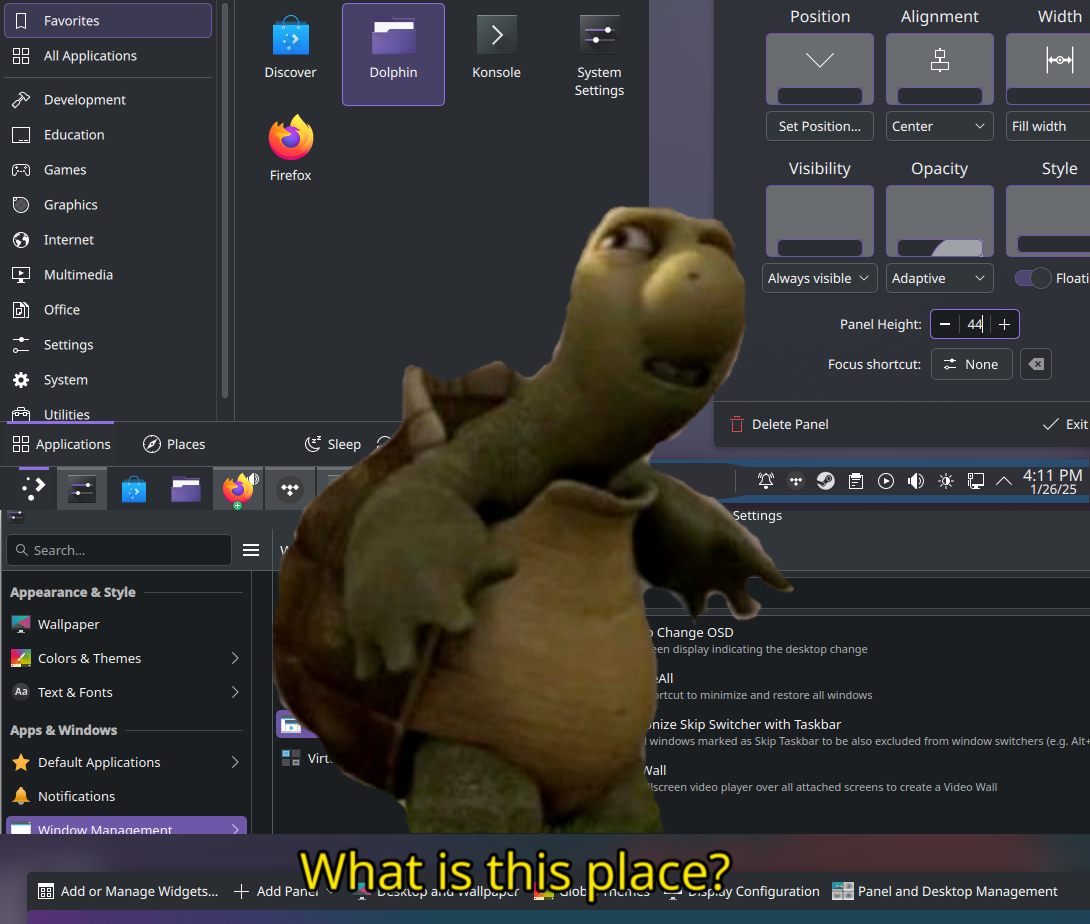
Trying Plasma for a bit to see how green the grass is as a longtime Gnome user. The last time I ran Plasma on my main desktop was version 5.11, I think? It’s been a while…
I have been a GNOME 2 and then MATE user for over a decade. Now I use KDE since that’s what SteamOS comes with and it’s fine.
Wow, I found the one other MATE user. Cheers.
The couple of times I have decided to switch to Plasma I somehow get pulled back to GNOME. Like, I tried out earlier Plasma 5 on my system76 laptop and then s76 announced Pop!_OS. Then I tried again when I came across Nitrux which was essentially a heavily customized Plasma. Then I got a Librem 5 which uses phosh, based on GNOME.
I really liked it though, and have thought about trying Plasma Mobile.
Got used to the Steam OS Desktop on my steam deck. I used Ubuntu a decade ago and went with Kubuntu on my gaming rig which won’t support windows 11 but I wanted the same desktop like my steam deck.
More than 6 months and no regrets. Since 24.10 you even get wayland natively. Even my old NVIDIA 1080 Ti works good.
KDE + Arch is such a great combo. I’m using it on a 10yo laptop (though admittedly it’s a rather beefy lappy for it’s gen, a 2014 ZBook g2, with 32 GB ram)
KDE can be slow on lower spec devices but it is so great to use and it was trivially easy to alter keyboard shortcuts, default application, startup behavior, etc.
deleted by creator
Yeah I used to do consumer computer recycling and the really old laptops that were not worth a Windows reseller’s license we would just slap Linux on I tested just about every de out there and plasma was shockingly fast on some of these ancient Celeron laptops. Gnome was like molasses, I’ve never understood where people get the idea of the plasma is heavy
Just looks like windows to me and I don’t want it
Yes, but unlike some others, but Plasma allows and encourages you to rearrange it to your heart’s content. Mine looks nothing like Windows.
That’s because Windows copied KDE Plasma, obviously. /j
The Windows 11 look was basically stolen from Plasma’s breeze theme. But obviously 30 years ago the story was different.
Even the win11 tagline lol
I’ve got mine set up to run somewhat like OS X, since I like the top bar and the disappearing dock. Modern Plasma is very customizable and easy to customize.
Removed by mod
Ironically, so is Gnome (unlike I used to think). I’ve been toying with setting up an OSX-like experience in both via VMs, and they each have pros and cons, as it turns out.
Dude. You can make that shit look like Amiga if you want. Whatever floats your boat.
its very customizable, not just in appearance.
Just change the theme, no?
I’ve never been a real plasma user (played around with it sure but never more than a week or something) and have been using GNOME since ~3.10 the whole workflow is just ingrained in my mind and simply works. So I’d be happy to hear how you’re doing on Plasma even if I don’t see myself switching anytime soon.
I think that’s the window environment on SteamOS. I honestly really enjoy it on my Deck. It feels light and fresh.
What do you think so far?
Welcome back to the land of the
livingusable UII used to be a huge fan of Gnome, back before they switched to whatever this mobile-first nonsense design is. Looks like something you would see on a tablet designed for children. They destroyed Gnome!
I use Cinnamon on my desktop to avoid the whole “modern” Gnome problem. It’s far better. But it’s Plasma all the way on my laptop baby!
Yeah, Cinnamon is great, but I use Plasma myself. I got used to it after switching to Nobara, back in the day, but for most of the past year or two I’ve been using Bazzite and it defaults to KDE as well.
Old gnome was great. Was like the best middle ground. Enough options to tweak stuff, but not plasma levels of knobs. Le sigh
And let’s not forget that it looked great. The perfect blend of style and minimalism.
The same. I used to love GNOME, now I’m forced to use KDE because GNOME 3+ is completely disgusting and unusable.
Yeah, they really did our boy wrong.
I installed cosmic the other day. Uninstalled it like 5 minutes later but I enjoyed its vibe. I am excited to see it come out of alpha
Same here, I prefer KDE, but popos has been my daily driver for a while now just for compatibility and ease of use.
Very excited for cosmic as in not a fan of gnome.
How close to plasma is Cinnamon?
By default, both Plasma and Cinnamon have a very similar set up to Windows.
However, Plasma is insanely modular and customizable, so if you’re willing to take the time to, you can make it look as much like Cinnamon as you please. Given how simple Cinnamon’s design is, I don’t think it would be hard at all.
Hmmm. I’d like windows 98 to be honest.
deleted by creator
You can make KDE look like that if you want.
Plasma isn’t as visually polished as Cinnamon. Go ahead and get your clock and CPU temp widgets in the system tray the same font size and positioning.
KDE feels a bit more cluttered because…I’ve said this before, KDE gives you every option under the sun, GNOME software isn’t designed to do anything unless you add extensions to enable features, and Cinnamon is somewhere in the happy middle.
Plasma isn’t as visually polished as Cinnamon.
I’m pretty sure you can get Plasma to look and behave nearly identical to Cinnamon if you wanted.
I recently tried to do this because Cinnamon was pissing me off
I gave up after ~6 hours over 3 days, Plasma Amish a beast
Linux Mint 22.1 just came out with a new high DPI theme and some theme reworking and now my issues are fixed thank fuck
How is it??
I last used it a little while back but there were some issues with polish. I’d like to come back and check it out again now that there’s been a major update if I remember right
I love the GNOME user experience and apps (I know many don’t, that’s fine) but don’t so much love the way GNOME as a project often struggles to play nicely with others 😅
I’m amazed by the level of polish overall, I’ve encountered very little jankiness that used to be super common with Plasma when I last tried it. Plasma feels like a really mature desktop now, which is awesome. I’m running Plasma 6.2 at the moment, and I think 6.3 is right around the corner as well.
My problems so far are more subjective. Gnome may be a very opinionated desktop, but I happen to agree with most of its opinions. Gnome’s workspaces feature is miles better than Plasma’s virtual desktops, which feel tacked on in comparison. I’m still trying to tinker with this to make it work for me, but honestly this seems like the thing that will push me back to Gnome if I don’t find a workflow I like.
KDE obviously has more features overall though, HDR support happens to be the one that I’m interested in at the moment since I’ve been toying with the idea of buying a new monitor.
I believe there’s an extension for plasma to automatically create and destroy desktops based on need like gnome but I haven’t used it.
As a long time KDE user I have to agree with you.
I hated the turn things took from Gnome3 onwards but I really like the “workspaces per demand” feature of it. It makes much more sense than having a static number of virtual desktops.
Though I concede KDE did not do much about virtual desktops but concentrated on activities instead - but it seems like with Plasma 6 they are backpedalling on that as it would require integration from everyone, most of all non KDE apps to make it make sense.
Do not even get me started on not being able to set a different wallpaper for each virtual desktop.
I recall there was a kwin script somewhere to emulate the dynamic virtual desktops thing, but that would be much better if it was an upstream feature.
Plasma’s Activities are more like workspaces than virtual desktop is.
deleted by creator
Virtual desktop doesn’t segregate running applications and all the rest of the things you can configure in Activites like wallpapers and themes. I much prefer it for organizing my, well, activities when I have a bunch of tasks on the go. I can run an activity for coding that’s distinctly different from personal tasks and I don’t see the programs in the task list from other activities.
It’s almost like running another plasmashell on an alternate TTY but I can move running applications between Activities or have them show up in multiple Activities, or always have them open on a certain Activity that I’ve dedicated to that app. And I can distinguish between them easily at a glance because I might have an entirely different Global Theme,
panelsand widgets applied to that ActivityProtip: set a shortcut for switching activities to Meta-Tab and it makes it way more likely to use.
Better?
the things I wanted to do required a non-standard dock (latte?), but made activities so much nicer.
my dock only had icons on it that reflected the current activity, my backgrounds were different, all the tools for the specific activity that I was doing were immediately available, but weren’t cluttering up the dock when I switched to other activities.
activities really are sweet, I’m sad to hear KDE is backpedaling on them.
That said, I’ve been using Gnome because the blended workflow of interacting with desktops, searching for applications, and working with open applications in the overview is just as sweet as it comes.
Well, they haven’t let it go yet, I think it really just takes people keeping up usage and following up bug reports. Latte dock wrapping up did put a wrench in things, because panels aren’t Activity unique, unfortunately. You might be able to bodge something with widgets that works since those are per-activity still.
And I just can’t swing Gnome, there’s so many things about it that piss me off within minutes of booting into it. If Plasma went away tomorrow, I’d probably have to make do with XFCE or Mate.
deleted by creator
We have fixed the internet.
How is it? Well it feels like an environment where developers actually care about users. I love it.
Happy for y’all! I’ll have to give it a try again sometime soon
What is this place?
Windows minus Microsoft BS.
Windows
Take that back… /s
I have a colleague, who’s super deep down the Linux rabbit hole and he always ran GNOME. I was never quite sure, if he actually prefers it, or if he just does not care, because he’s doing most things in a terminal anyways.
Recently, our IT department made a change, which accidentally switched him over to KDE. He could easily switch back, but he’s been checking KDE out instead, and yeah, it’s been super interesting.
He definitely has some of that GNOME workflow baked into him. For example, under GNOME you can use Alt + the key above Tab to switch between windows of the same application. In KDE, that shortcut exists, but the default keybinding isn’t exactly usable.
Another minor complaint was, for example, that using Meta + arrow-keys doesn’t move windows between screens automatically when you press it repeatedly. That’s a separate shortcut under KDE, with Meta + Shift + arrow-keys.He’s aware that he may need to relearn some of his workflow, but yeah, will have to see, if he sticks to it. His emotions are nigh impossible to read, unfortunately. 🙃
man, I love the workflow of meta-arrow switches desktops, and meta-shift-arrow takes your current window with you.
Is that the default on GNOME? I happen to have the same workflow configured on KDE, except I use WASD instead of arrow keys. 🙃
not sure of it’s the default, but I change Gnome or KDE to that. I think it’s KDE’s default.
I have changed them to pretty much like how windows has it.
Good comment ! I laughed at “the key above Tab”. So useless nobody remembers caps lock. Do we need an international caps lock day ?
Well, caps lock is below the tab key (still useless tho). The key above is the weird backtick or tilde key.
Thanks for correcting me !
Yeah, I specifically wrote “the key above tab”, because on our German keyboard the ^ is there, but it’s still the same keybinding, so presumably GNOME determines it based on key location rather than the produced symbol.
. For example, under GNOME you can use Alt + the key above Tab to switch between windows of the same application. In KDE, that shortcut exists, but the default keybinding isn’t exactly usable.
KDE’s shortcut key options are endlessly customizable. I’d be shocked if you couldn’t get this functionality after like 30 seconds of tinkering.
To clarify, those are the default keybindings, but you can change them to match your needs or expectations. I like the alt tilde for windows within a program switching, it works fairly well though I have not set it up on my current machine yet.
Yea, my sister, for example, had changed all keybinds in GNOME to be the same as they are in macOS
Lol, about that, while changing keybinding on spectacle (kde app to take screenshots/screenrecording) seemed to work, changing key bindings to launch keepass, somehow de-activated the key
y. I noticed that rebooting fixed it, until I pressed any keybind (even ctrl+c). I had to reset the keybindings.Not sure exactly what is going on, but I noticed that if I opened discord it would type
ycontinously whenywas disabled.Somehow this happened again with
xwhen I launched outerwilds and discord.Very weird bug, but I was too busy setting up linux to report it. I’m just being a bit hesitant to change any system keybind now😆
Woah, that is wild, I hope you did some bug reporting about that, for something to go so insanely wrong it would have to be a fairly bad bug but also hard to find. Cool trick though, “Check this out, Copy ate my Y key, I am without purpose!”