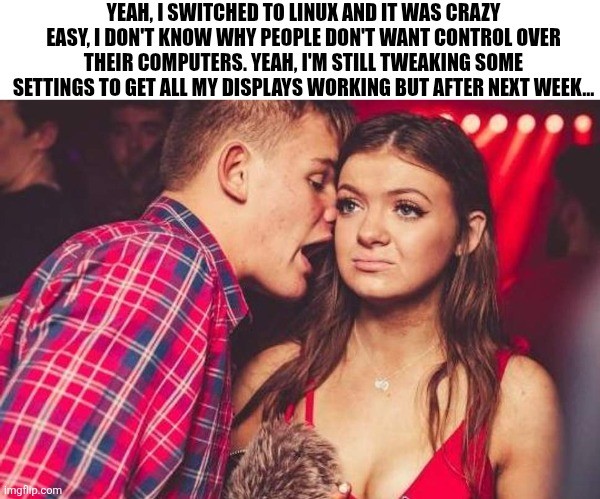
Edit: I’m glad so many of you have had no issues with multiple monitors. My set up is a little unusual (3rd display is an infrequently used large tv hooked through the receiver) and is definitely solveable but will take some effort (and honestly, I’d rather spend my spare time outside or with friends, so who knows when I’ll fix it.)
I don’t know why I love that picture so much.
Fake!
All those words and none were “Arch”.It was implied? 🤔🤪
I mean, they joke but inertia is Microsoft’s mightest weapon.
Literally just “My computer works now, why would I want to change it?”
Incidentally, getting someone on Linux (or Apple for that matter) to switch to Microsoft is also like pulling teeth.
Please leave my teeth, I am perfectly happy with arch.
He uses arch btw
Also, for many people, they don’t actually understand the difference between the device and the OS. You buy a laptop and thats the whole thing, including the OS.
My 3 monitor setup has been really fantastic after switching to Cosmic desktop. Really really loving the mix of tiling and non-tiling features too.
Tangential to OP but just wanted to throw Cosmic out there for folks who haven’t yet tried it.
Didn’t realize Cosmic went 1.0 in December. How is it? I tried it a few months ago and really liked the tiling features and overall feel, but it was still a bit rough around the edges.
Tbh I have no real complaints. I would eventually like some keyboard shortcuts for moving entire workspaces around without the mouse, but what is there is quite intuitive and I find myself not leaving the keyboard to navigate. The defaults are similar to i3 shortcuts.
I like that they work in tiling and non-tiling mode, and each workspace can be set to either mode at whim.
No issues with stability (which was a problem for me in earlier builds).
I don’t use any of the Cosmic utils, though (text editor, terminal, etc). They seem fine but ymmv.
Edit: actually just thought of one thing… If you move a window from a non-tiling workspace to a tiling one, it stays in non-tiling mode. This leads to a mixed mode workspace and I don’t like that. But it’s easily fixed with mode toggle and only a minor annoyance – ideally I want it to switch to whatever mode the workspace is in.
My displays work great on Debian
Right!? It’s wild having to turn down the babes!
Who would be so heartless as to reject babes? Just look at that cute whittle face…

My displays are even more stable than Windows now. Wayland allows me to throw around applications to different workspaces and monitors that would have literally crashed if I ALT-TABed on Windows.
On my Windows laptop, multi displays barely work with any logic at all.
Last time I used macOS it pretended that displays worked fine (but they didn’t).
I’ve not used Linux much in hotplug monitor setups but I assume the situation can’t be worse.
I gave up on getting multiple displays to work consistently on macOS and Windows years ago and just got an ultrawide instead.
Actual lol. I try not to be this guy until people bith about win 11 like they have no choice. you do!!
My internal dialogue during social events: dont talk about linux, dont talk about foss, dont talk about rodents.
I will gladly subscribe to any newsletter about those three things.
The design history of the XFCE logo has entered the chat.
My wife was laughing when I showed her this meme.
infrequently used large tv hooked through the receiver
This makes it seem like Linux has a problem with multiple monitors when you just aren’t supposed to connect your 80s AV hardware between TV and computer. You should absolutely expect that to either require an active convertor to your obsolete shit AND OR cutting out the intermediary. If you are going to use weird shit its on you to actually understand how it works.
Out of all the people on earth you might literally be singular person anywhere with this setup. Meanwhile everyone else is just plugging in shit and watching it work.
I’m another data point where displays work under Linux better than Windows, making this particular example amusingly wrong.
This is a Dell precision laptop with a dual usb-c connected docking station. Intel cpu plus a discrete nvidia gpu.
Using Cinnamon in X11 on Linux Mint or LMDE, works great.
Using KDE Plasma in Wayland on Debian? Works great!
Using Windows 10? Bzzzt.
I think I’ve had Linux DEs occasionally forget my monitor order & rotation just like Windows would, but out of the box Windows wouldn’t even use all my monitors.
I don’t think a lived experience can be amusingly wrong but to each their own?
My issue comes because my set up is highly unusual, the third display is an infrequently used tv that’s connected through a receiver. With a little bit of fighting I have a workable albeit inconvenient system. A fix is possible but as stated in the meme, it’ll take some effort etc.
I assume they mean that the general sense of “Switching to Linux is easy! I’m still fiddling with basic things but any day now…” doesn’t reflect their own experience, nor that of many others who had less trouble with displays under Linux.
In that context “I have an unusual setup” is an important note: It’s not that Linux struggles with basic things, but that it struggles with some uncommon things that nobody ever built and shipped a proper solution for.
Absolutely true and well put.
I should have said “third display” instead of “all” because my unusual setup is important context. Honestly, I’m also probably not highlighting that enough when evangelizing about it.
To me, a big chunk of the excitement of linux is that regardless of whether linux or someone else is better out of the box, with linux, I can change whatever needs changing. There will always be some tinkering left and nothing stopping me from it!
Multi monitor has never been more reliable for me than it is on Linux. The downside is that it’s not automated and I need to connect/disconnect them through the terminal.
Ah, what you’re looking for is called udev. It supplies the system with device events from the linux kernel.
This gist of it is, to use this command
udevadm monitor --environment --udevthen unplug and plug in your monitor. You should see the events on screen. You then write a rule and place it in /etc/udev/rules.d. To run a script add something like
ACTION=="change", SUBSYSTEM=="drm", KERNEL=="card0-HDMI-A-1", \
  RUN+="/usr/local/monitor-script.sh"
See the man udev page for more info (☞゚ヮ゚)☞