You must log in or # to comment.
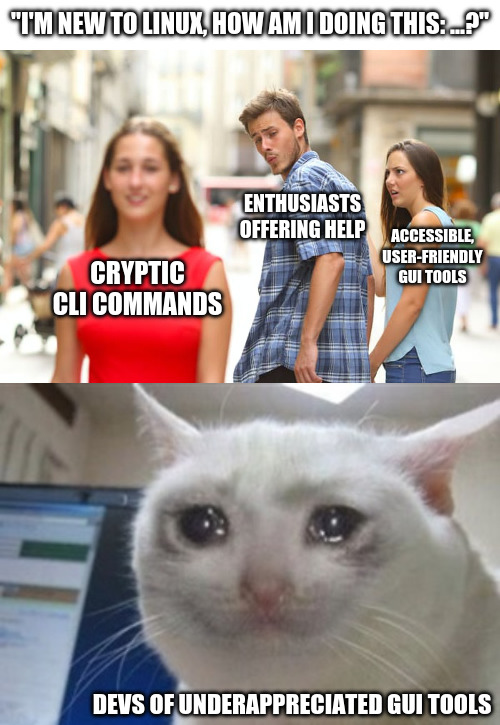
For a one off issue it’s easier to send a cli command they can copy paste than to detail steps in the gui.
In the long run it more often than not is better to show them how to help themselves though. Let’s say they use Mint and want to install something they saw from ElementaryOS, so a new Flatpak repo: Of course in this moment I’d be done faster with their request for help sending them two commands to just paste, but showing them where they can add the new repo themselves and how this will make all the new apps pop up in their Software Store doesn’t just make them more independent and reassure them in trying things themselves, but will make it less likely for them to constantly ask you for help again.
And it makes more people stick with Linux, that’s always good.
I blame absolutely nobody for wanting a GUI tool for things. But the idea others are at fault for being hesitant or unfamiliar with the tool is also disingenuous, especially when the GUI just adds another layer of abstraction to the tool while removing some of the functionality (as GUI tools often do).
It’s like you’re learning to ride a bicycle. I get that you like the training wheels and they are extremely useful for you, and more experienced cyclists SHOULD be understanding and accommodating, but they can also see the ways they’re holding you back, and it’s natural for them to want you to take them off as soon as possible.
Also, CLI is consistent across any distro… GUI tools, however, vary depending on your desktop environment, distro, version…
Also, CLI is consistent across any distro…
This falsehood crashed so many devices and left so many beginners with error messages it isn’t even funny anymore.
Okay, it isn’t 100%, but it’s certainly MORE consistent than GUI, and since GUI is generally just a front-end for CLI anyway, if the CLI is inconsistent, so is the GUI, so it’s not as if GUI avoids this problem.
And how would I pipe the output from your GUI tool into another GUI tool?
By using a file?
Not to be facious, but in simply asking this question you’re already beyond the scope of the people most GUI tools are designed for (I.e. novices who either don’t need this tool often enough to learn the CLI, or don’t need the advanced features you’d get from doing so).
yesterday I had to use the dd command dd - - help didn’t help much
install tldr and then you have easier commands
> tldr dd dd Convert and copy a file. See also: `caligula`. More information: https://www.gnu.org/software/coreutils/manual/html_node/dd-invocation.html. - Make a bootable USB drive from an isohybrid file (such as archlinux-xxx.iso) and show the progress: sudo dd if=path/to/file.iso of=/dev/usb_drive status=progress - Clone a drive to another drive with 4 MiB block size and flush writes before the command terminates: sudo dd bs=4M conv=fsync if=/dev/source_drive of=/dev/dest_drive - Generate a file with a specific number of random bytes by using kernel random driver: dd bs=100 count=1 if=/dev/urandom of=path/to/random_file - Benchmark the write performance of a disk: dd bs=1M count=1024 if=/dev/zero of=path/to/file_1GB - Create a system backup, save it into an IMG file (can be restored later by swapping if and of), and show the progress: sudo dd if=/dev/drive_device of=path/to/file.img status=progress - Check the progress of an ongoing dd operation (run this command from another shell): progressWhy not just read the man page?
I feel like it’s a nice intermediate step when learning the commands.
manis great when you already know you have the right tool and you just need to check a flag. A newbie who just left Windows is gonna be so overwhelmed by a lot of manpages, but this does a nice job of easing them in using examples to give the user an idea of what that tool is capable of.
Try:
man dd
I’m sorry but I am the man and man code stipulates I never request the help of another man
Valid
I’ve been in a situation like this recently and all I can say is that the CLI is universal.
Yes, it is complex. Yes, it is challenging. But it gets things done.
Don’t be afraid.
It’s not even that complex, it just looks that way if you’re not used to using it
It isn’t, I admit. But the first impression is intimidating.
I know what you mean, just beware: in lots of cases it’s not as universal (as in distro-independent) as some still think it is.
For people who want to get things done with their PC that isn’t inherently IT-related (like, doing office work or music production or anything else) and just need to do the occasional light sysadmin thing like setting up new drives to be auto-mounted somewhere, pointing to GUI tools is just so much better. And in many cases it is also safer (making your system fail on boot with a small typo in the fstab is painfully easy).
I get where you’re coming from. But as something of an enthusiast myself I don’t always know GUI tools for all the tasks I can do in a terminal. Edit: typos
I know what you mean, just beware: in lots of cases it’s not as universal (as in distro-independent) as some still think it is.
This is especially true when we start talking about BSDs and other non-GNU platforms.
True.
As someone that started in Linux, for real, with Debian, and in a time that I had to mannually install my graphics card, I learned the way I did things on Debian was significantly different from things got done on other distro families. That, alone, kept faithful to the Debian tree.
Yeah, I’m with you. I fucked up my Deb install because I strayed from “doing things the debian way” and overtinkering with things I wasn’t meant to do.
But compared to other distros, debian feels like a bomb bunker; once you set it up, it’s going to stay set up.
Monolith is a word that fits Debian very well.
It’s like a landmark. It just exists and reality itself seems to bend around it.
I ran a Debian machine, a laptop, until the hardware literally gave up. Eight years of solid service. Regular updates and one reinstall to move to the next version.
It kept working. It kept playing music, playing videos, managing my office needs, surfing the web and receiving my email. Flawlessly.
It outperformed newer machines in its last years and people could not wrap their heads around the notion.
Debian, as a Linux+FOSS combo is a winner combo
Also, GUI changes faster than CLI, CLI has ALWAYS more options, and you can save those commands to a file.
Also can get explanations for every command.
You can’t copy and paste into a GUI, and it’s painful to help people to use them.
Or pipe GUI output into another GUI function.
Or
log.txtSo you want newbies blindly entering scripts to there command line and not knowing what that are doing.
And where a typo can cause a catastrophic outcome
their* they/those*
Teach them to double check against the man page before pasting, would be my guess.
But then the CLI wouldn’t be faster anymore and the whole argument most people keep bringing up falls apart.
Also those man pages aren’t even remotely written to be understandable by Linux novices most of the time…
But then the CLI wouldn’t be faster anymore and the whole argument most people keep bringing up falls apart.
It is much faster for the one giving the answer. Also, the looking up the man page is something you only do the first time. With the gui the user should also verify before blindly following instructions, but it is usually harder to find proper documentation of gui features than cli commands.
Also those man pages aren’t even remotely written to be understandable by Linux novices most of the time…
That is a fair point. They are dense, technical and at times pretty hard to read. But when a novice asks for help they are always going to either trust blindly or verify. Verifying can be a difficult task for a novice no matter if gui or cli is suggested. I do think most novices would trust the gui way more and feel more in control of it, even if they are basically doing the same thing.
They’re blindly doing it either way. I understand and want GUIs as well, but dumping commands into terminal is starting to seem easier than “go here click this, now click that”
Open “app” -> open menu -> select option -> change this / push this button.
Just as easy to write as a command. But many people (me included) is so used to go the CLI route that the GUI way is only an afterthought.
I can’t find this menu, where is it?
Now you have to go figure out what they’re actually looking at and whether it’s what you said to do or not. Command line copy-paste removes any uncertainty.
Just as easy to write as a command.
No. First you, the helper, have to find the option in the gui. Then you have to look up every step in the path through the gui. At every step you have to find the english name for the button/menu (localization exists), and manually type it (because you can’t select and copy the text of the gui (by default at least)). Also just referring to buttons by name sometimes won’t work. It is so cumbersome.
If it’s “oh, you can open up [application X] and it’s easy to figure it out, and there’s videos out there to cover your use case”, then ok.
But if it’s to help a user with a very specific task and they want their hand held, well from a GUI perspective I’m either making a bunch of screenshots or maybe even a tutorial video or a screen share session… Or I shoot them a relatively short CLI command that does it and move on to other things.
It is usually much shorter to tell someone the CLI to do something than it is to try to train them on a GUI for the same thing. If it’s well-trodden subject matter, well they probably already found a youtube tutorial and didn’t even have to ask.
basic_task_list = ['copy and paste', 'install package', 'type', 'keyboard', 'read and write' ] for basic_task in basic_task_list: print(f""" Newbies can't {basic_task}. They never {basic_task} in windows. Windows has replaced {basic_task} with copilot, this is what linux needs to do to compete. How will linux ever hope to attract windows user if it still maintains this ancient hacker 1337xor tools like {basic_task}? Users just want to turn on computer and watch it do computance - how does linux not get this? """)What’s easier to support?
"Ok, open app commandX,
now click on the button labeled Y… It’s just there, just below your mouse cur… oh now you’ve moved your mouse… no, not there, it’s more to the left, up a bit… down a bit, it’s labeled Y. Third one from the top.
Yes, that’s the one, now click it.
ok, in this pop up you type "super secret code thing’,
no, capitalization doesn’t matter.
Yes. I’ll spell it “s u p e r {space} s e c r e t {space} c o” what do you mean, you don’t have a T on your keyboard? "Or. “Open up the terminal and type this code: commandX --CodeY This will do XYZ. After it’s done, can you tell me the error it says on the screen?”
But yes, I agree, the GUI looks nicer.
I dgaf about support. (i’m naturally perky).
Back in dos there was a systemic encouragement to users to at least learn something about a computer. Nowadays windows apologists seem to relish how much it dumbs down computers, (or any over supported system).
They won’t learn to ride the bike until someone removes the stabiliser brackets - and Gates is one of the cunts who figured out that he makes more cash by welding them on.
Exactly. You can tell someone to type a command, and ask for the output. Otherwise you’re spending 90% of your time asking someone to explain what they see, and searching for buttons that just move around from week to week.
Yep, this is just one factor. It’s difficult for people not to judge a book by its cover.
Correctly done, cli is superior for a lot of things.
Tbf cli help is copy paste, GUI help is something I didn’t want to help with even when I was being paid for it
I just don’t know about the GUI tools and wouldn’t know how to help people with them. Of course I’m not really enthusiast grade anymore and don’t offer Linux help but yeah.
“I’m having an issue with Windows”
"Please open
CMD.EXEand runsfc /scannowandDISM.exe /Online /Cleanup-image /Restorehealth
If that doesn’t solve your issue, you need to reinstall Windows
Hope that helps!You forgot to start with shutdown /g
Hope that helps.
I think we should just add a button on the desktop that runs both of those.
We’ll call it… “New All”?
no chkdsk?
I cant think of a time that sfc scannow or dsim cleanup has ever fixed a problem
I have had DISM work a handful of times for work. SFC has never fixed anything.
Same.
I reinstall my windows partition every like year.
It worked for me on an issue once. Which, tbh, is worse than it never working, because it gave me hope and a reason to keep trying it in the future.
Shoutout to qpwgraph devs
The issue I have with GUI and wrapper tools on Linux is that I don’t know how they have implemented the standards, I know several tools that only deals with the basic stuff and leave you high and dry for the advanced stuff.
Which I feel is missing the point, if you have a gui it should support advanced stuff as well as the basic stuff, else you will train your self wrong, and have to unlearn a lot of crap
Please learn how to use the shell, everyone wins. Learning how to use the shell will enable you to do all kinds of things. Learning how to use some Gui will help you in that one instance, until that dev decides that it needs to be made better and prettier and you start looking for shit again
Step 1: Try several tools until you find one that works.
Simple things can work well in GUI.
Now, working on a GUI that tries to expose every little features? No thank you. I would not want to develop it, and I would not want to have to use it.
It’s ok to go install a software through discover instead of using the CLI.
It’s unlikely I will use your “accessible” GUI tools, but I applaud you for making them, even if they’re shit. It’s like art, the more art there is, the better the world is, even if I personally can’t appreciate some of it, I acknowledge the greatness of it’s existence.